Realm VTT supports four grid modes -- Square, Vertical Hex, Horizontal Hex, and Isometric -- so you can configure maps that fit your game's style with accurate measurements in every mode. All grid types work seamlessly with Realm's movement logic, area templates, and measurement tools.
Whether you are running a tactical dungeon crawl, an overland hexcrawl, or a city scene with isometric depth, choosing the right grid type can make a real difference in how your game feels at the table. Here is a breakdown of each grid option, when to use it, and which RPGs benefit most from each style.
Square Grid: The Classic Choice
Square Grid is the default and most widely used grid type for tabletop RPGs. It is the standard for Dungeons & Dragons 5th Edition, Pathfinder, and most games that use tactical combat on a battle map.
Pros:
- Familiar to nearly every tabletop player
- Simple, intuitive movement in four cardinal directions (or eight with diagonals)
- Easy to align with most commercially available battle maps and dungeon tiles
- Best support for rectangular rooms, corridors, and structured encounters
Cons:
- Diagonal movement can feel awkward without alternate distance rules
- Less natural for open wilderness or exploration-focused maps
Realm VTT supports the optional alternate diagonal rule (5 ft -- 10 ft -- 5 ft) for precise movement and range. You can enable this from the Settings menu once you enter your Campaign by clicking your Avatar and then "Settings." This rule is commonly used in D&D 5e and Pathfinder 2e to make diagonal distances more realistic.
Best for: D&D 5e encounters, Pathfinder 2e tactical combat, dungeon crawls, interior maps, and any game that relies on grid-based positioning.
Vertical Hex (Flat-Topped): Built for Hexcrawls
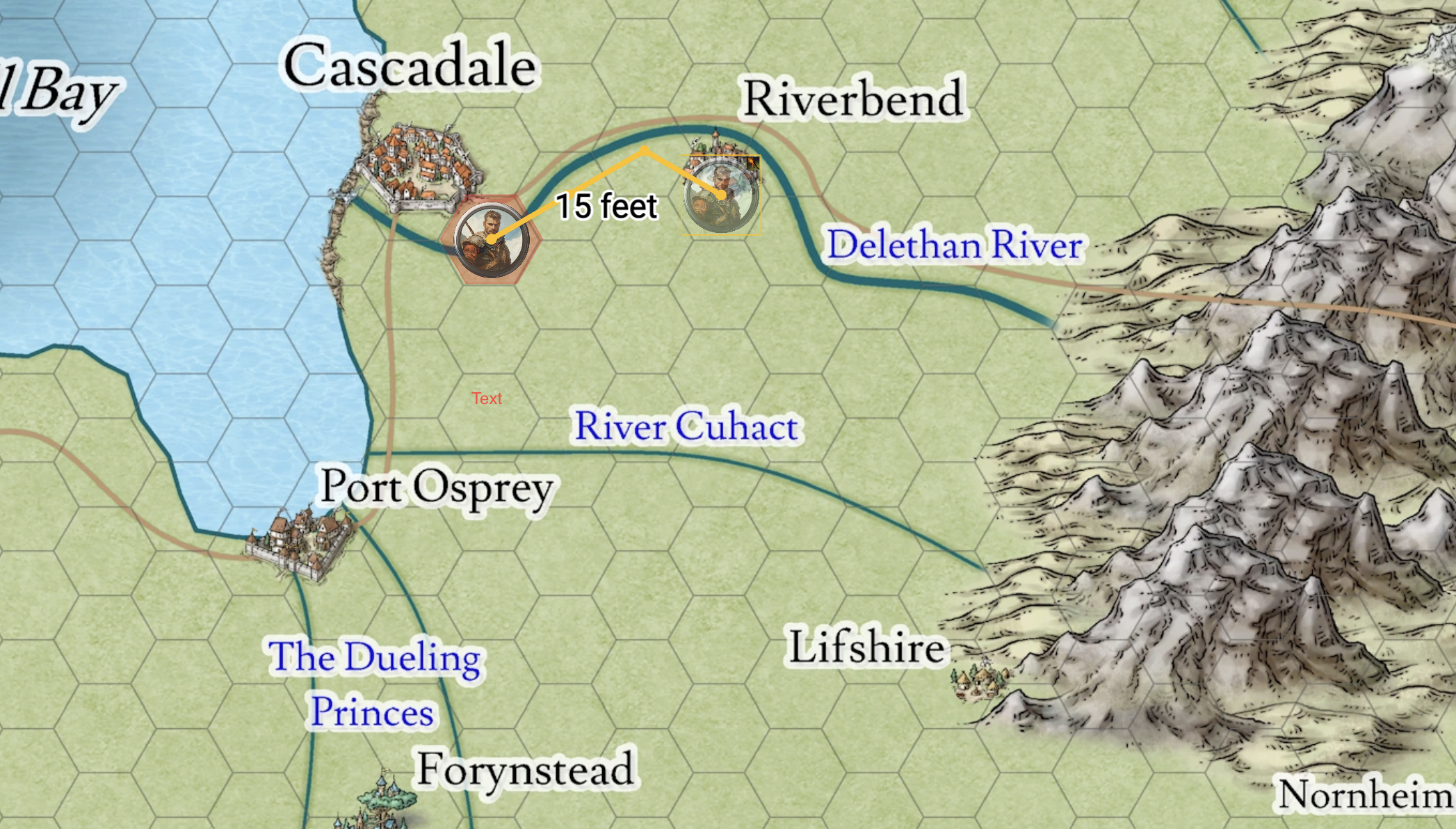
Vertical Hex uses a flat-topped hexagonal grid, which is great for hexcrawls and overland exploration maps where vertical alignment simplifies travel and movement patterns.
Pros:
- Six uniform directions of movement, eliminating the diagonal distance problem entirely
- Ideal for overland travel where cardinal directions matter
- Natural fit for terrain-based exploration and random encounter maps
Cons:
- Less intuitive for players used to square grids
- Harder to align with rectangular structures like buildings or dungeon rooms
Best for: Overland hexcrawls, wilderness exploration, games like Forbidden Lands or Ultraviolet Grasslands, and any campaign where travel across open terrain is a core mechanic.
Horizontal Hex (Pointy-Topped): Directional Flow
Horizontal Hex uses pointy-topped hexagons, which emphasizes diagonal movement and directional flow. This orientation is common in many wargames and hex-and-counter systems.
Pros:
- Strong visual sense of forward direction along the horizontal axis
- Works well for naval combat, aerial encounters, or maps with directional travel
- Same six-direction uniformity as vertical hex
Cons:
- Same general trade-offs as vertical hex when it comes to rectangular structures
Best for: Wargame-influenced RPGs, naval or aerial combat, campaigns that use hex-based navigation with a horizontal orientation.
Isometric Grid: Visual Depth with Tactical Precision
Isometric Grid adds a sense of three-dimensional depth to your maps while maintaining precise measurements. This is a great option for GMs who want their maps to feel more visually dynamic without sacrificing the accuracy of grid-based play.
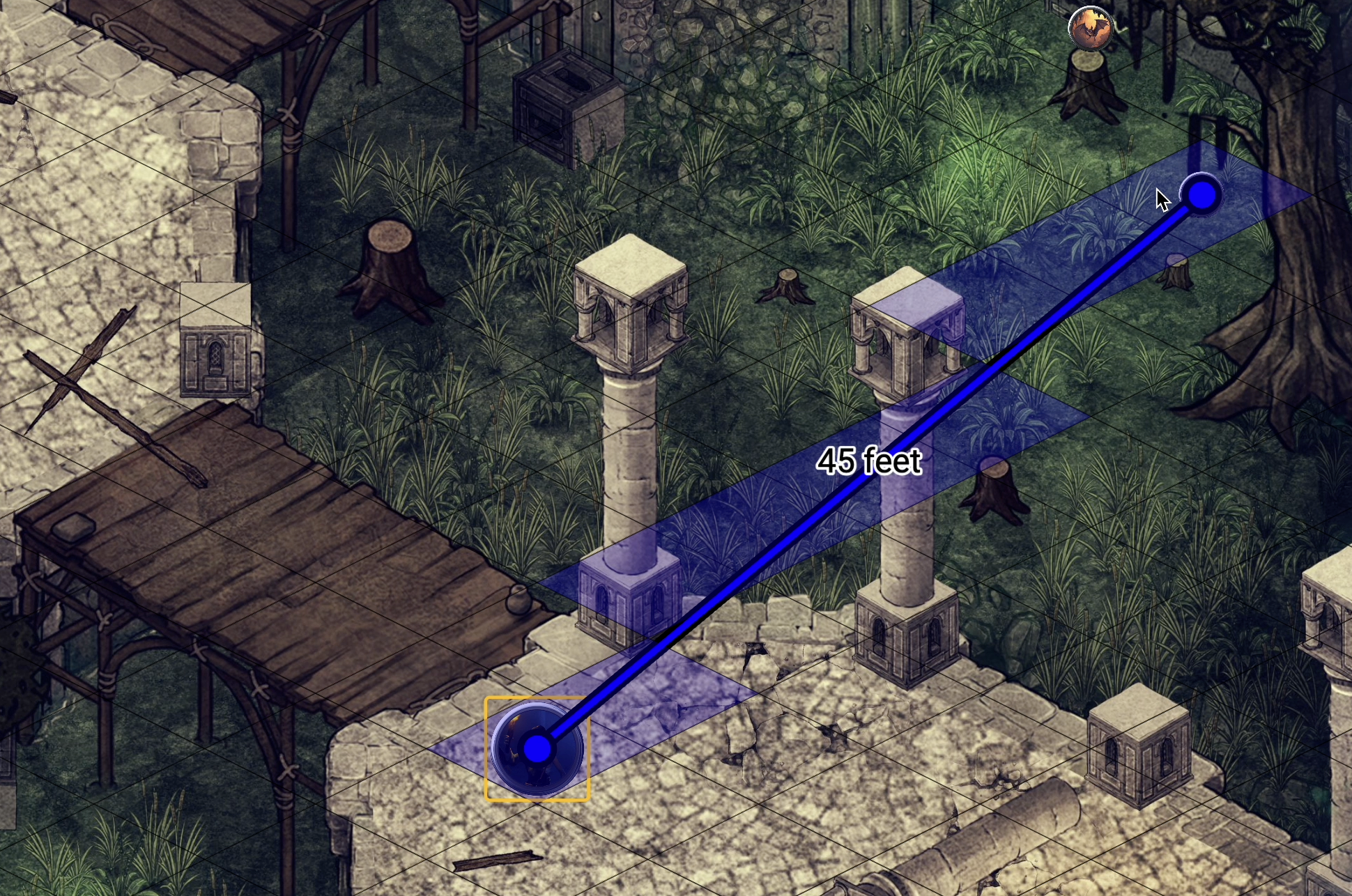
Realm VTT's isometric mode supports the alternate diagonal rule, just like the square grid, so measurement remains accurate even with the visual perspective shift.
Pros:
- Visually striking maps with a sense of height and depth
- Great for city scenes, multi-level buildings, and elevation-based encounters
- Stands out from the flat look of traditional top-down maps
Cons:
- Can take some adjustment for players unfamiliar with isometric perspective
- Map assets designed for isometric grids are less common than top-down assets
Best for: City encounters, rooftop chases, multi-level dungeons, and any GM who wants to add visual flair to their canvas and scenes.
Hex Grid vs Square Grid: Which Should You Use?
The hex grid vs square grid debate comes down to what kind of game you are running. If your sessions are built around tactical combat in enclosed spaces -- dungeons, buildings, encounter maps -- square grids are hard to beat. The rectangular alignment matches most map assets, and your players already know how they work.
If your game leans into exploration, overland travel, or systems that use hex-based movement natively, hex grids eliminate the awkward diagonal math and give you a more natural feel for distance across open terrain. Many GMs use a combination: hex grids for the world map and square grids for encounter maps. Realm VTT makes this easy because you set the grid type per scene, not per campaign.
Consistent Tools Across Every Grid
Realm VTT's template tools -- line, square, circle, cone, and measure -- function in every mode. Distance and pathfinding automatically adjust to your chosen grid type, so gameplay remains fluid and accurate. You do not need to worry about your area-of-effect spells or movement calculations breaking when you switch grids.
This consistency extends to the tips and tools that make Realm VTT a smooth experience for both GMs and players. No matter which grid you choose, the core toolset works exactly the same way.
How to Change Your Grid Type
Changing the grid type in Realm VTT is simple. Open a scene in your campaign, access the scene settings, and select your preferred grid mode. The change applies immediately, and all measurement tools, templates, and pathfinding will adjust automatically. It's best to choose your grid type before drawing walls or placing tokens, since changing it afterward may require repositioning elements on the map.
Flexible Mapping, Accurate Play
From dungeon crawls to hex-based exploration and stylish isometric cities, Realm VTT's grid settings keep your maps visually sharp and mechanically consistent. Try all four modes at play.realmvtt.com and find the one that fits your campaign.