Advanced Ruleset Creation
Advanced Ruleset Creation Tips
This article covers tips for ruleset developers regarding how you can leverage our Ruleset Compiler script to speed up ruleset iteration, and more examples of how the underlying data is structured in Ream VTT.
Before reading this guide, be sure to first familiarze yourself with all aspects of the Ruleset Editor in the prior article: Ruleset Editor and API.
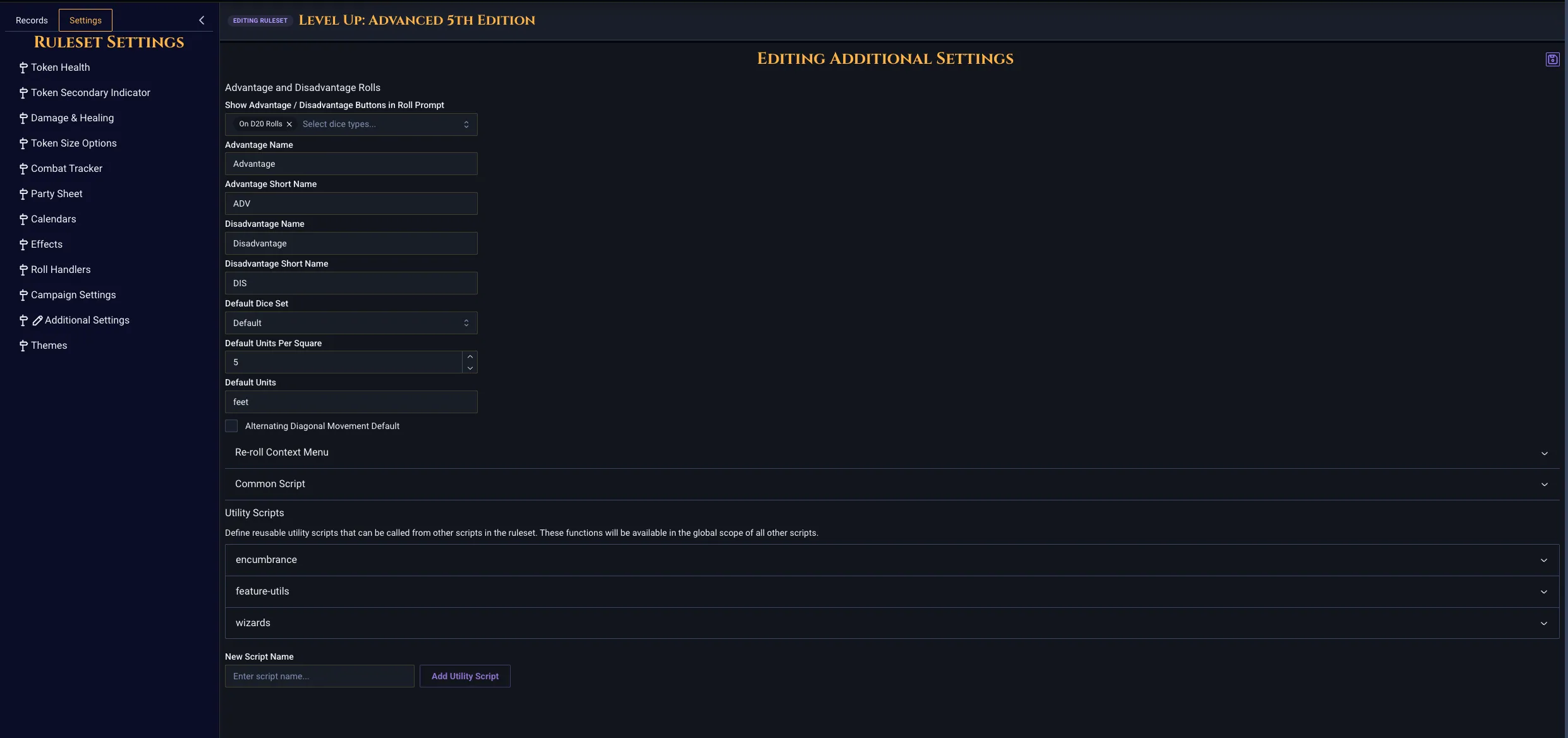
Don't forget to explore the Settings tab of a ruleset to understand how things like the Common and Utilities Scripts works, as wells as all the other settings here.
 You can also refer to examples from any of our public repos from other rulesets:
D&D 5.5e (Complex): https://github.com/seansps/realmvtt-5e
Pathfinder 2e (Very Complex): https://github.com/seansps/realmvtt-pf2e
Cyberpunk RED (Complex): https://github.com/seansps/realmvtt-cpr
Call of Cthulhu 7e (Simpler): https://github.com/seansps/realmvtt-coc7e
Table of Contents
Ruleset Compiler — installation, CLI usage, and the
ruleset.config.jsonreferenceUnderstanding Record Data — anatomy of a record,
fieldsvsdata, and embedded list recordsUsing the Record API Directly — auth, CRUD endpoints, query operators, and import patterns
Ruleset Compiler
The Ruleset Compiler is a CLI tool that lets you maintain a Realm VTT ruleset as a local folder of HTML, JavaScript, and JSON files — then compile and push it to the Realm VTT API with a single command. It is highly recommended that you build your rulesets in an editor and store the code in source control, so that you can easily roll back and fix problems later.
To get the Ruleset Compiler script, pull the following GitHub repository: https://github.com/seansps/ruleset-compiler
With this script, instead of editing every tab, roll-handler, and setting through the in-app ruleset editor, you can keep your ruleset under version control (git), edit it in your favorite editor, and publish changes whenever you're ready.
Source:
tools/ruleset-compilerRequires: Node.js 18 or later (uses native
fetch)
Installation
Clone the realmvtt-rulesets repository and install dependencies:
git clone https://github.com/realmvtt/realmvtt-rulesets.git
cd realmvtt-rulesets/tools/ruleset-compiler
npm install
Quick Start
From the tools/ruleset-compiler directory:
# Compile and upload (interactive — prompts for credentials and target ruleset)
node src/cli.js ../../my-ruleset

# Compile to a file (no upload — useful for inspection or CI)
node src/cli.js ../../my-ruleset --output build.json

# Dry run — print the compiled JSON to stdout
node src/cli.js ../../my-ruleset --dry-run

# Upload to a specific ruleset by ID
node src/cli.js ../../my-ruleset -e [email protected] -p yourpassword -i 64a1b2c3d4e5f6

# Create a brand-new ruleset
node src/cli.js ../../my-ruleset --new
If you omit both --id and --new, the tool fetches the list of rulesets you own and lets you pick one interactively.
Command-line options
Option | Description |
|---|---|
| Realm VTT account email |
| Realm VTT account password |
| JWT token (bypasses login) |
| Update this ruleset by ID |
| Create a new ruleset instead of updating |
| API base URL (default: |
| Build JSON and print to stdout — does not upload |
| Build JSON and write to a file — does not upload |
| Verbose logging |
Directory Layout
A ruleset directory is just a folder containing a ruleset.config.json and any HTML/JS files it references:
my-ruleset/
  ruleset.config.json
  character-main.html
  character-skills.html
  character-combat.html
  items-main.html
  abilities-main.html
  skill-list.html
  inventory-list.html
  attack-list.html
  rollhandlers/
    common.js
    skill.js
    damage.js
    attack.js
  scripts/
    on-roll-initiative.js
    damage-apply.js
    healing-apply.js
    rest.js
File paths inside ruleset.config.json are resolved relative to the ruleset directory.
ruleset.config.json
This is the single source of truth. It defines the ruleset's name, all record types, and the settings object (rollhandlers, damage, effects, combat tracker, party sheet, etc.).
Anywhere in the config you can replace a string value with { "file": "relative/path" } and the compiler will inline that file's contents at build time. This works for:
Tab HTML — compiled to the tab's
layoutfieldRoll handlers — compiled to the roll type's
handleResultfieldAny other script field — replaced with the file's raw text
Top-level fields
Field | Type | Description |
|---|---|---|
| string | Ruleset display name |
| string | Short description |
| number | Version number |
| array | Record type definitions |
| object | Ruleset settings (rollTypes, damage, effects, etc.) |
Records
Each entry in records is either a standard record (a full sheet with tabs — characters, items, etc.) or a list record (an embedded list used inside another record — inventory list, attack list, etc.).
List records set "isList": true and support extra fields like showAddButton, allowedListTypes, filterCriteria, and orderCriteria.
Full example
Here's a complete ruleset.config.json you can copy as a starting point. It defines a small ruleset with characters, NPCs, items, abilities, a few list types, and wires up rollhandlers + scripts from external files.
{
  "name": "My Custom RPG",
  "description": "A custom tabletop RPG ruleset for Realm VTT",
  "version": 1,

  "records": [
    {
      "name": "Characters",
      "type": "characters",
      "minX": 550,
      "minY": 600,
      "tabs": [
        { "name": "Main", "file": "character-main.html" },
        { "name": "Skills", "file": "character-skills.html" },
        { "name": "Combat", "file": "character-combat.html" },
        { "name": "Inventory", "file": "character-inventory.html" },
        { "name": "Notes", "file": "character-notes.html" }
      ],
      "hideFromCompendium": false,
      "isList": false,
      "icon": "",
      "filters": {}
    },
    {
      "name": "NPCs",
      "type": "npcs",
      "minX": 500,
      "minY": 500,
      "tabs": [
        { "name": "Main", "file": "npcs-main.html" },
        { "name": "Inventory", "file": "npcs-inventory.html" },
        { "name": "Description", "file": "npcs-description.html" }
      ],
      "isList": false,
      "icon": ""
    },
    {
      "name": "Items",
      "type": "items",
      "tabs": [
        { "name": "Main", "file": "items-main.html" },
        { "name": "Rules", "file": "items-rules.html" }
      ],
      "icon": "IconBox"
    },
    {
      "name": "Abilities",
      "type": "abilities",
      "tabs": [
        { "name": "Main", "file": "abilities-main.html" },
        { "name": "Rules", "file": "abilities-rules.html" }
      ],
      "icon": "IconStar"
    },
    {
      "name": "Skill List",
      "type": "skill_list",
      "isList": true,
      "showAddButton": true,
      "showDeleteButton": true,
      "addButtonText": "Add Skill",
      "newItemName": "New Skill",
      "disableDrop": true,
      "tabs": [{ "name": "Main", "file": "skill-list.html" }]
    },
    {
      "name": "Attack List",
      "type": "attack_list",
      "isList": true,
      "disableDrop": true,
      "emptyListText": "Equip weapons on the Inventory tab",
      "filterCriteria": [
        { "field": "type", "operator": "equals", "value": "weapon", "isOr": false },
        { "field": "carried", "operator": "equals", "value": "equipped", "isOr": false }
      ],
      "tabs": [{ "name": "Main", "file": "attack-list.html" }]
    },
    {
      "name": "Inventory List",
      "type": "inventory_list",
      "isList": true,
      "showAddButton": true,
      "showDeleteButton": true,
      "addButtonText": "Add Item",
      "newItemName": "New Item",
      "emptyListText": "Drop Items Here",
      "allowedListTypes": ["items"],
      "orderCriteria": [{ "field": "name", "descending": false }],
      "tabs": [{ "name": "Main", "file": "inventory-list.html" }]
    }
  ],

  "settings": {
    "healthIndicator": {
      "disabled": false,
      "maxHealthField": "maxHp",
      "currentHealthField": "curHp",
      "color": [
        { "percentage": 0, "color": "#4A0000", "label": "Dead" },
        { "percentage": 1, "color": "#8B0000", "label": "Critical" },
        { "percentage": 25, "color": "#CC4400", "label": "Bloodied" },
        { "percentage": 50, "color": "#FF8C00", "label": "Injured" },
        { "percentage": 75, "color": "#B8860B", "label": "Hurt" },
        { "percentage": 100, "color": "#00FF00", "label": "Healthy" }
      ]
    },
    "combatTracker": {
      "initiative": "initiative",
      "order": "desc",
      "slotBased": false,
      "clearSlotsPerRound": false,
      "additionalFields": [],
      "onRollInitiative": { "file": "scripts/on-roll-initiative.js" },
      "onRollInitiativeGroup": { "file": "scripts/on-roll-initiative-group.js" },
      "onTokenAdd": { "file": "scripts/on-token-add.js" },
      "onEncounterStart": { "file": "scripts/on-encounter-start.js" },
      "onEncounterEnd": { "file": "scripts/on-encounter-end.js" },
      "onTurnStart": { "file": "scripts/on-turn-start.js" },
      "onTurnEnd": { "file": "scripts/on-turn-end.js" },
      "onRoundStart": { "file": "scripts/on-round-start.js" },
      "onRoundEnd": { "file": "scripts/on-round-end.js" }
    },
    "rollTypes": [
      { "name": "skill", "file": "rollhandlers/skill.js" },
      { "name": "damage", "file": "rollhandlers/damage.js" },
      { "name": "attack", "file": "rollhandlers/attack.js" }
    ],
    "damage": {
      "enableDamage": true,
      "enableHealing": true,
      "damageScript": { "file": "scripts/damage-apply.js" },
      "healingScript": { "file": "scripts/healing-apply.js" }
    },
    "otherSettings": {
      "commonScript": { "file": "rollhandlers/common.js" },
      "scripts": {
        "rest": { "file": "scripts/rest.js" }
      },
      "defaultDice": "default",
      "defaultUnitsPerSquare": 5,
      "defaultUnits": "feet"
    },
    "partySheet": {
      "awards": {
        "enabled": true,
        "xpName": "XP",
        "xpField": "xp",
        "xpMethod": "award_equally"
      }
    },
    "tokenSize": [
      { "size": 0.5, "label": "Tiny" },
      { "size": 1, "label": "Medium" },
      { "size": 2, "label": "Large" },
      { "size": 3, "label": "Huge" }
    ]
  }
}
What the compiler does
Reads
ruleset.config.json.Walks the config and replaces every
{ "file": "..." }with the referenced file's contents.For tab entries, the
filebecomes the tab'slayout.For rollTypes entries, the
filebecomes that roll type'shandleResult.Fills in sensible defaults for any record fields you omitted.
Sends the final payload to
POST /rulesets(new) orPATCH /rulesets/:id(update).
Understanding Record Data
Once you've got a ruleset uploaded and working, the next step is usually seeding it with records — abilities, items, spells, NPCs, etc. Rulesets define the schema and behavior, but the actual records live in the Realm VTT database and are created in-app (or via the API / using custom importers).
It's worth knowing how a record is structured, because your HTML tabs and roll-handlers read and write these exact fields. Every field you bind to in HTML (field="data.level", field="data.cost", etc.) maps directly to a property on the record document.
Anatomy of a record
Here's an example of the Fighter class record from the 5e 2024 SRD. It's a good example because it shows almost everything you'll run into: top-level system fields, module/sharing metadata, level-scaled data fields, and a nested list of embedded sub-records (the class features), some of which contain their own embedded modifiers.
{
  "_id": { "$oid": "1234" },
  "name": "Fighter",
  "recordType": "class",
  "identified": true,
  "category": "5e 2024 SRD - Player Options",
  "portrait": "",
  "unidentifiedName": "Fighter",
  "campaignId": "12344",
  "moduleId": "123456",
  "sourceId": "1234567",
  "shared": true,
  "locked": true,
  "createdAt": 1757003134406,
  "data": {
    "primaryAbility": "Strength or Dexterity",
    "hitDie": "d10",
    "saveProficiencies": ["strength", "constitution"],
    "skillProficiencies": "Choose 2: Acrobatics, Animal Handling, Athletics, History, Insight, Intimidation, Persuasion, Perception, or Survival",
    "toolProficiencies": "",
    "weaponProficiencies": "Simple and Martial weapons",
    "armorTraining": "Light, Medium, and Heavy armor and Shields",
    "startingEquipment": "Choose A, B, or C: (A) Chain Mail, Greatsword, Flail, 8 Javelins, Dungeoneer's Pack, and 4 GP; (B) Studded Leather Armor, Scimitar, Shortsword, Longbow, 20 Arrows, Quiver, Dungeoneer's Pack, and 11 GP; or (C) 155 GP",
    "asMulticlass": null,
    "Description": "<p>As a Fighter, you gain the following class features when you reach the specified Fighter levels…</p>",
    "weaponProficienciesMulti": "Martial weapons",
    "armorTrainingMulti": "Light and Medium armor and Shields",
    "multiclassSpellcaster": "Third of Levels (round down) if Subclass",
    "multiclassSpellcasterSubclass": "Eldritch Knight",
    "casterType": "Spellcasting",
    "requiredSubclass": "Eldritch Knight",
    "spellcastingAbility": "intelligence",

    "level3spells": 3,
    "level4spells": 4,
    "level5spells": 4,
    "// …": "one entry per level up to level20spells",

    "level3spell1": 2,
    "level7spell2": 2,
    "level13spell3": 2,
    "level19spell4": 1,
    "// …": "slots-per-spell-level per class-level",

    "feature_list": [
      {
        "_id": "07cc36f5-b67c-474d-aa54-e02de54a7a1a",
        "name": "Fighting Style",
        "unidentifiedName": "Feature",
        "recordType": "records",
        "identified": true,
        "data": {
          "level": 1,
          "description": "<p>You have honed your martial prowess and gain a Fighting Style feat of your choice…</p>"
        }
      },
      {
        "_id": "0f904295-b5a5-4ffb-ba0c-4df907d44b17",
        "name": "Second Wind",
        "recordType": "records",
        "identified": true,
        "data": {
          "level": 1,
          "description": "<p>You have a limited well of physical and mental stamina…</p>",
          "ability": "{\"_id\":\"68b9bd7d228b6eaed7955645\",\"name\":\"Second Wind\"}",
          "abilityGroupName": "Second Wind",
          "maxDailyUses": 2,
          "restoreOn": "shortrestonce",
          "value": "1d10"
        }
      },
      {
        "_id": "3224bc2d-0eda-408a-852f-7224b1407559",
        "name": "Indomitable",
        "recordType": "records",
        "identified": true,
        "data": {
          "level": 9,
          "description": "<p>If you fail a saving throw, you can reroll it with a bonus equal to your Fighter level…</p>",
          "ability": "{\"_id\":\"68b9bd7d228b6eaed795561d\",\"name\":\"Indomitable\"}",
          "abilityGroupName": "Indomitable",
          "maxDailyUses": 1,
          "restoreOn": "longrest",
          "modifiers": [
            {
              "_id": "c5488de6-e83c-445d-bca8-2485aa6500d7",
              "name": "New Modifier",
              "recordType": "records",
              "identified": true,
              "data": {
                "type": "saveBonus",
                "valueType": "string",
                "value": "Fighter Level"
              }
            }
          ]
        }
      },
      {
        "_id": "d94126d9-5910-47a6-8ed6-8aa45e3b3076",
        "name": "Tactical Master",
        "recordType": "records",
        "identified": true,
        "data": {
          "level": 9,
          "description": "<p>When you attack with a weapon whose mastery property you can use…</p>",
          "modifiers": [
            {
              "_id": "d07f2dd1-…",
              "data": {
                "type": "weaponMastery",
                "valueType": "string",
                "value": "Push"
              }
            },
            {
              "_id": "cbb1636f-…",
              "data": {
                "type": "weaponMastery",
                "valueType": "string",
                "value": "Sap"
              }
            },
            {
              "_id": "484b4745-…",
              "data": {
                "type": "weaponMastery",
                "valueType": "string",
                "value": "Slow"
              }
            }
          ]
        }
      }
    ]
  }
}
The real record contains ~20 features in
feature_listand spell tables for every class level — the snippet above is trimmed for readability.// …comments mark where entries were omitted (they are not valid JSON — just annotations for this doc).
Top-level fields
These are system fields that every record has, regardless of recordType:
Field | Description |
|---|---|
| MongoDB ObjectId — unique per record |
| The display name |
| Which record type this is (matches a |
| The campaign (or compendium) this record belongs to |
| If |
| Alternate name shown when not identified |
| Optional grouping label (e.g. the source book — "5e 2024 SRD - Player Options") |
| Image path shown on the record sheet and token |
| When |
| When |
| The module this record belongs to (when shared from a module) |
| The original record this one was copied from (when imported/cloned) |
| Unix millisecond timestamp |
| Optional per-field UI overrides — see below |
| Everything else — the ruleset-defined schema |
fields — UI overrides (optional)
The Fighter record above doesn't use a fields object, because every field in the class sheet applies. But many records do, and it's worth knowing what it's for. fields lets you control UI state per field without touching the underlying value — most commonly hiding fields that don't apply to a particular record:
"fields": {
  "archetype": { "hidden": true },
  "tradition": { "hidden": true }
}
The keys match the field="..." attributes on components in your HTML tabs. You can also drive hidden dynamically from within a rollhandler or onchange handler via api.setValues({ "fields.archetype.hidden": false }).
data — the ruleset-defined schema
Everything inside data is defined by your ruleset's HTML tabs. If your class tab has <numberfield field="data.level3spells">, then the record will have a data.level3spells field. There is no separate schema file — the tabs are the schema.
Looking at the Fighter example, the fields inside data fall into a few broad categories:
Simple strings and dropdowns —
primaryAbility,hitDie,casterType,spellcastingAbility,requiredSubclass. Bound to<stringfield>/<dropdown>.Arrays of strings —
saveProficiencies: ["strength", "constitution"]. Bound to a multiselect dropdown.Rich-text HTML —
Description. Bound to<richtextfield>. Capitalized here purely because that's what the ruleset author named the field.Level-scaled fields —
level3spells,level4spells, …,level20spells, plus a per-spell-level matrix (level3spell1,level7spell2,level13spell3,level19spell4). This is a common ruleset-author pattern: rather than store a single "progression table", each cell of the class table is its own field. The HTML tab binds each cell to a numberfield, and the rollhandler looks updata[\level${n}spell]at runtime.Embedded list fields —
feature_listis a list of sub-records. This is how in-record lists (driven by list records like theability_list/feature_listin yourruleset.config.json) serialize to the database.
These fields exist because the ruleset's HTML defines them. If you add a new field to your HTML it will appear on new records once it has been edited within the VTT. If you rename one, existing records will still have the old key in data until they're migrated (usually done using an onload function of a visible field, but it is best to avoid this whenever possible.)
Embedded records inside list fields
When a record contains a list — like the Fighter's feature_list — each entry is itself a miniature record with the usual envelope: _id, name, recordType, identified, and its own data object. The data inside each feature is schema-driven by the corresponding list tab's HTML.
These nested records can themselves contain list fields. In the snippet above, the Indomitable and Tactical Master features each carry a modifiers array — another embedded list, where each entry has its own _id and data.type / data.value — so roll-handlers can walk through features, pull out modifiers, and apply them (e.g. adding "Fighter Level" as a saveBonus).
The nesting depth is essentially unlimited — a feature can contain modifiers, a modifier can contain choice sets, etc. The rule is always the same: every embedded record has the same top-level envelope shape, and its data is defined by whatever HTML tab renders it.
Dropdowns with queries — JSON-stringified record references
When a dropdown is configured to pull its options from a record query (e.g. "pick an ability", "pick an effect to apply on save-fail"), Realm VTT stores the selected value(s) as JSON strings containing just the _id and name of the referenced record — not as plain objects.
Single-select — the field is a string holding one stringified object:
"ability": "{\"_id\":\"68b9bd7d228b6eaed7955645\",\"name\":\"Second Wind\"}"
Multi-select — the field is an array of strings, each one a stringified object:
"effects": [
  "{\"_id\":\"698d3eae4e9a13342d1497ac\",\"name\":\"Prone\"}",
  "{\"_id\":\"698d3eae4e9a13342d1497ad\",\"name\":\"Restrained\"}"
]
The stored payload intentionally only carries _id and name — it's a pointer, not a cached copy. To get the full record, look it up by _id:
const raw = api.getValue("data.ability");     // '{"_id":"…","name":"Second Wind"}'
const { _id, name } = JSON.parse(raw);
api.getRecord("abilities", _id, (rec) => {
  // rec is the full, fresh record
});
To write one of these fields programmatically, you must stringify the object yourself — the UI and rollhandlers expect a string, not an object:
api.setValues({
  "data.ability": JSON.stringify({ _id: record._id, name: record.name }),
});
The same applies to the multi-select case (data.effects, etc.) — each entry in the array has to be pre-stringified. This trips up almost everyone the first time: if you store the raw object, the dropdown will render blank because it's looking for a JSON string to parse.
Paths and nested data
When reading or writing via the API (api.getValue, api.setValues, api.addValue, etc.), paths use dot notation all the way down — including into arrays and nested records:
api.getValue("data.hitDie"); // "d10"
api.getValue("data.saveProficiencies.0"); // "strength"
api.getValue("data.feature_list.0.data.level"); // 1
api.getValue("data.feature_list.2.data.modifiers.0.data.value"); // "Fighter Level"
api.setValues({ "data.level3spells": 3 });
Note: bracket notation (
data.saveProficiencies[0]) is not supported. Always use dot notation for array indices — this applies equally toapi.setValues,api.setValuesOnRecord, and all path-based APIs.
It is usually best to use setValues with the full list of values you intend to set, then, if you need to set more after, do it in the callback of setValues. This is because frequent calls to setValue or setValues can create race conditions and unexpected things can happen as a result.
Key takeaways
The ruleset defines structure and behavior; records are data.
Top-level fields (
_id,name,recordType,campaignId,identified,portrait,locked,shared,moduleId,sourceId,data) are the same on every record.Everything record-specific lives under
dataand is shaped by your HTML tabs.List fields (like
feature_list) store arrays of nested records, each with their own envelope anddata. Nesting can go many levels deep.fieldsis optional and is for UI overrides only — it does not change the underlying values.Use dot notation (including for array indices) when addressing any path.
Understanding this structure is what lets you write roll-handlers or build importers (if you wish to work with the API directly).
Using the Record API Directly
Once you understand the record shape, you can go a step further and read, create, or update records via the Realm VTT HTTP API directly. This is how bulk importers, external tooling, and integrations work — anything from scraping a source book into records to syncing an external database into a campaign.
Full reference: the Realm VTT API is documented as a Swagger/OpenAPI spec at play.realmvtt.com/api-docs. Every endpoint, query parameter, and response shape lives there. The examples below show the common patterns.
Note: Most endpoints require a campaignId. You cannot edit or alter data in a campaign that you are not the owner of or lack permissions for.
Auth — get a bearer token
All endpoints require a JWT bearer token. You get one by posting to /authentication:
const res = await fetch("https://utilities.realmvtt.com/authentication", {
  method: "POST",
  headers: { "Content-Type": "application/json" },
  body: JSON.stringify({
    strategy: "local",
    email: "[email protected]",
    password: "your-password",
  }),
});
const { accessToken } = await res.json();
Every subsequent request sends Authorization: Bearer <accessToken> alongside Content-Type: application/json.
const headers = {
  "Content-Type": "application/json",
  Authorization: `Bearer ${accessToken}`,
};
Resolve a campaignId
Almost every record is scoped to a campaign, so you'll need a campaignId. If you have the campaign's invite code (the short code shared with players), you can resolve it:
const url = `https://utilities.realmvtt.com/campaigns?inviteCode=${encodeURIComponent(inviteCode)}`;
const res = await fetch(url, { headers });
const { data } = await res.json();
const campaignId = data[0]?._id;
You can also fetch the list of campaigns you own/belong to by calling /campaigns without a query and picking the right one.
Record endpoints
Most record types live under a single generic endpoint:
Record type | Endpoint |
|---|---|
Anything generic (abilities, items, spells, classes, …) |
|
NPCs |
|
Tables |
|
For the generic endpoint, you pass recordType as a query param (for reads) or in the body (for writes). /npcs and /tables take the payload directly — they don't want recordType in the body.
Find a record by name
const params = new URLSearchParams({
  recordType: "abilities",
  campaignId,
  name: "Trampling Charge",
});
const res = await fetch(`https://utilities.realmvtt.com/records?${params}`, { headers });
const { data } = await res.json();
const record = data[0] ?? null;
For NPCs, drop recordType and hit /npcs instead:
const params = new URLSearchParams({ campaignId, name: "Orc Warlord" });
const res = await fetch(`https://utilities.realmvtt.com/npcs?${params}`, { headers });
Free-text search across a record type uses $search:
const params = new URLSearchParams({ recordType: "items", campaignId, $search: "longsword" });
const res = await fetch(`https://utilities.realmvtt.com/records?${params}`, { headers });
Fetch a record by ID
const res = await fetch(`https://utilities.realmvtt.com/records/${recordId}`, { headers });
const record = await res.json();
Create a record
POST /records with the full record envelope in the body. At minimum you need name, recordType, campaignId, and a data object shaped to your ruleset's schema:
const payload = {
  name: "Trampling Charge",
  recordType: "abilities",
  campaignId,
  identified: true,
  category: "Sourcebook Name Here",
  portrait: "/icons/fantasy/environment/people/charge.webp",
  data: {
    level: 1,
    type: "Culture Ability",
    actionType: "Other",
    isSave: true,
    savingThrows: ["dexterity"],
    damageTypes: ["bludgeoning"],
    cost: 1,
    description: "<p>Caravanners have learned to bowl down obstacles…</p>",
  },
};

const res = await fetch("https://utilities.realmvtt.com/records", {
  method: "POST",
  headers,
  body: JSON.stringify(payload),
});
const created = await res.json();
For NPCs and tables, hit the dedicated endpoint and omit recordType from the body:
await fetch("https://utilities.realmvtt.com/npcs", {
  method: "POST",
  headers,
  body: JSON.stringify({ name: "Orc Warlord", campaignId, data: { /* … */ } }),
});
Update a record
PATCH /records/:id with a partial body — only the fields you want to change:
await fetch(`https://utilities.realmvtt.com/records/${recordId}`, {
  method: "PATCH",
  headers,
  body: JSON.stringify({
    "data.cost": 2,
    "data.damageTypes": ["bludgeoning", "force"],
  }),
});
Dot-notation paths work in PATCH bodies the same way they do in the in-app API — you can target deeply nested fields (including array indices) without sending the whole record back.
Typical import pattern — upsert by name
Most importers follow this shape: for each source entry, look up by name, then either PATCH the existing record or POST a new one.
async function upsertRecord(recordType, payload) {
  const params = new URLSearchParams({
    recordType,
    campaignId: payload.campaignId,
    name: payload.name,
  });
  const found = await fetch(`https://utilities.realmvtt.com/records?${params}`, { headers })
    .then((r) => r.json());

  if (found.data?.length) {
    const id = found.data[0]._id;
    return fetch(`https://utilities.realmvtt.com/records/${id}`, {
      method: "PATCH",
      headers,
      body: JSON.stringify(payload),
    }).then((r) => r.json());
  }

  return fetch("https://utilities.realmvtt.com/records", {
    method: "POST",
    headers,
    body: JSON.stringify(payload),
  }).then((r) => r.json());
}
This is idempotent — re-running the importer updates existing records in place rather than duplicating them.
Other endpoints worth knowing
These all live under the same base URL and use the same bearer auth. See the Swagger docs for full shapes.
Endpoint | Purpose |
|---|---|
| Status effects (e.g. Prone, Stunned) referenced from records |
| Journal books |
| Individual journal pages ( |
|
|
| Image library ( |
| Built-in icon list |
Query operators
Realm VTT's API supports a rich query string syntax (inherited from Feathers/MongoDB):
$search=foo— free-text search$sort[field]=1/$sort[field]=-1— sort ascending/descending$limit=100/$skip=200— pagination$in,$nin,$gt,$gte,$lt,$lte,$ne— comparison operators (e.g.data.level[$gte]=5)
Combine these with recordType and campaignId to slice up records however you like. The full grammar is in the Swagger docs.
Rate limits and etiquette
Run imports serially or with low concurrency
Cache
campaignIdresolution and the bearer token between requests.When doing bulk upserts, batch read queries by fetching many records in one call (using
$inon_idorname) rather than one request per entry.